For restaurants, cafés and shops in Tanzania
Uza poa — online, dukani, mezani.
One system for the counter, the table and your online store. Every sale comes off the same stock and lands in the same order list.
Three ways to sell. One stock count.
A sale in the shop, an order online and a table's order all come off the same stock and land in the same order list.
- 01
Online
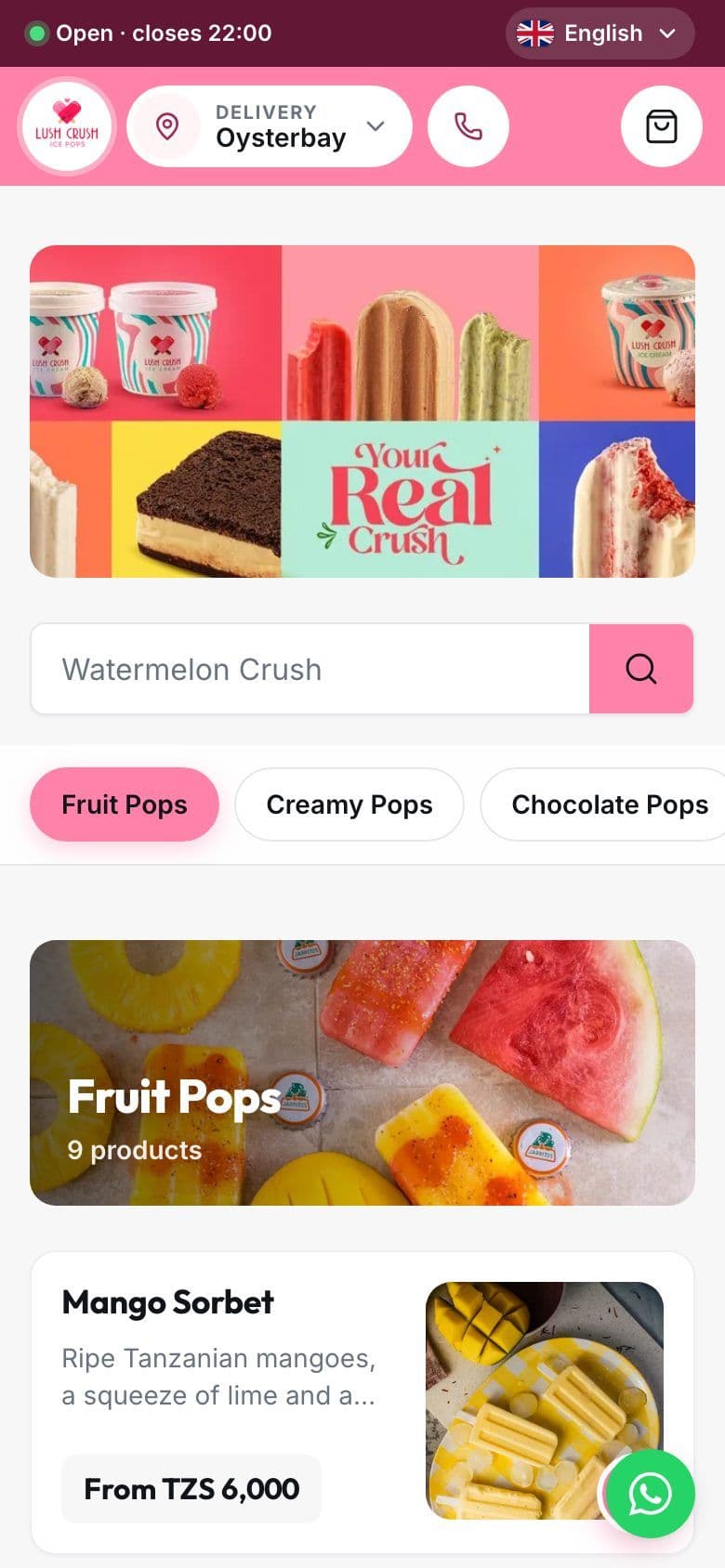
Your own store with your logo, colours and photos. Delivery or pickup.
- 02
Dukani
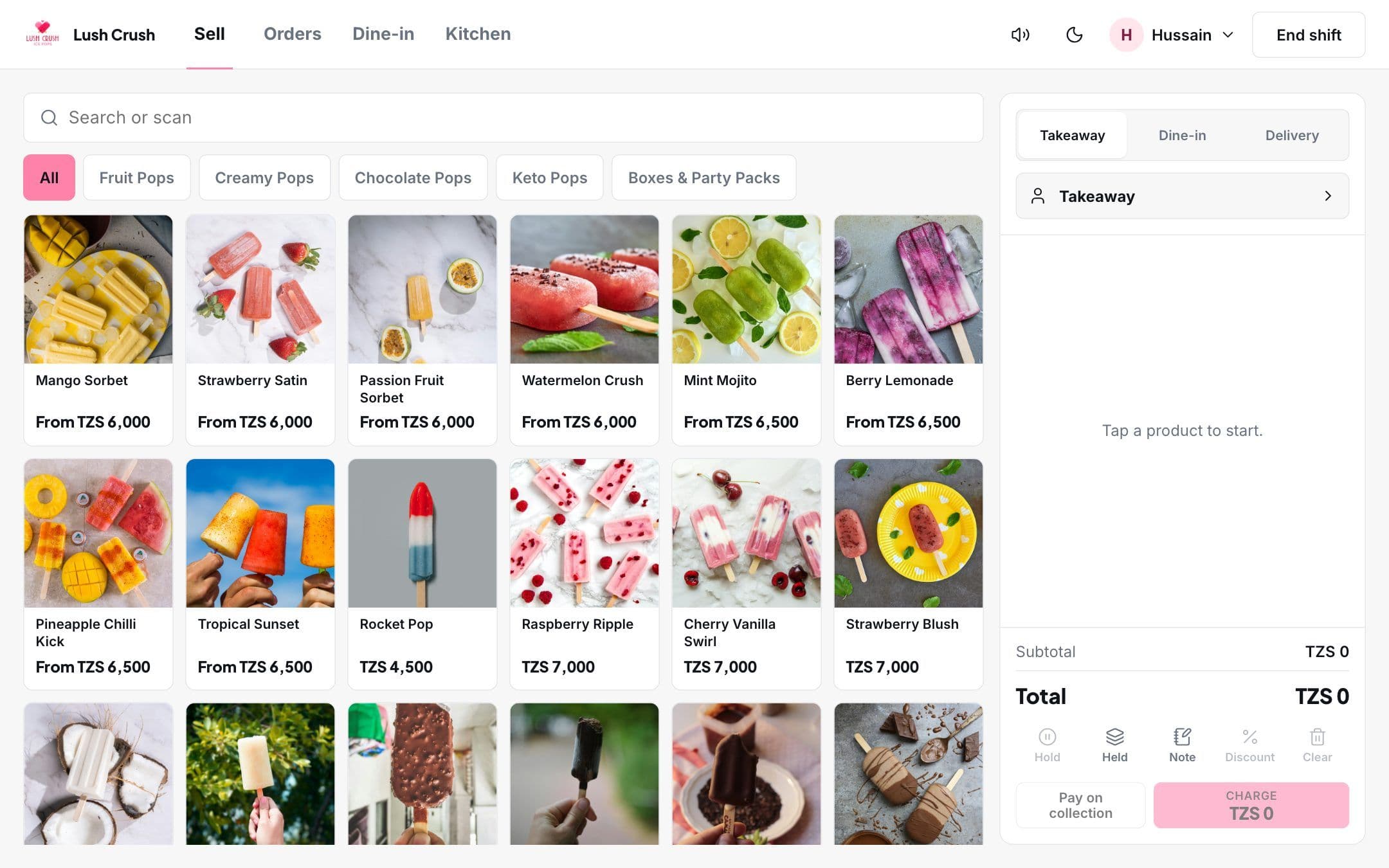
A POS for the counter: quick sales, receipts, shifts and cash-up.
- 03
Mezani
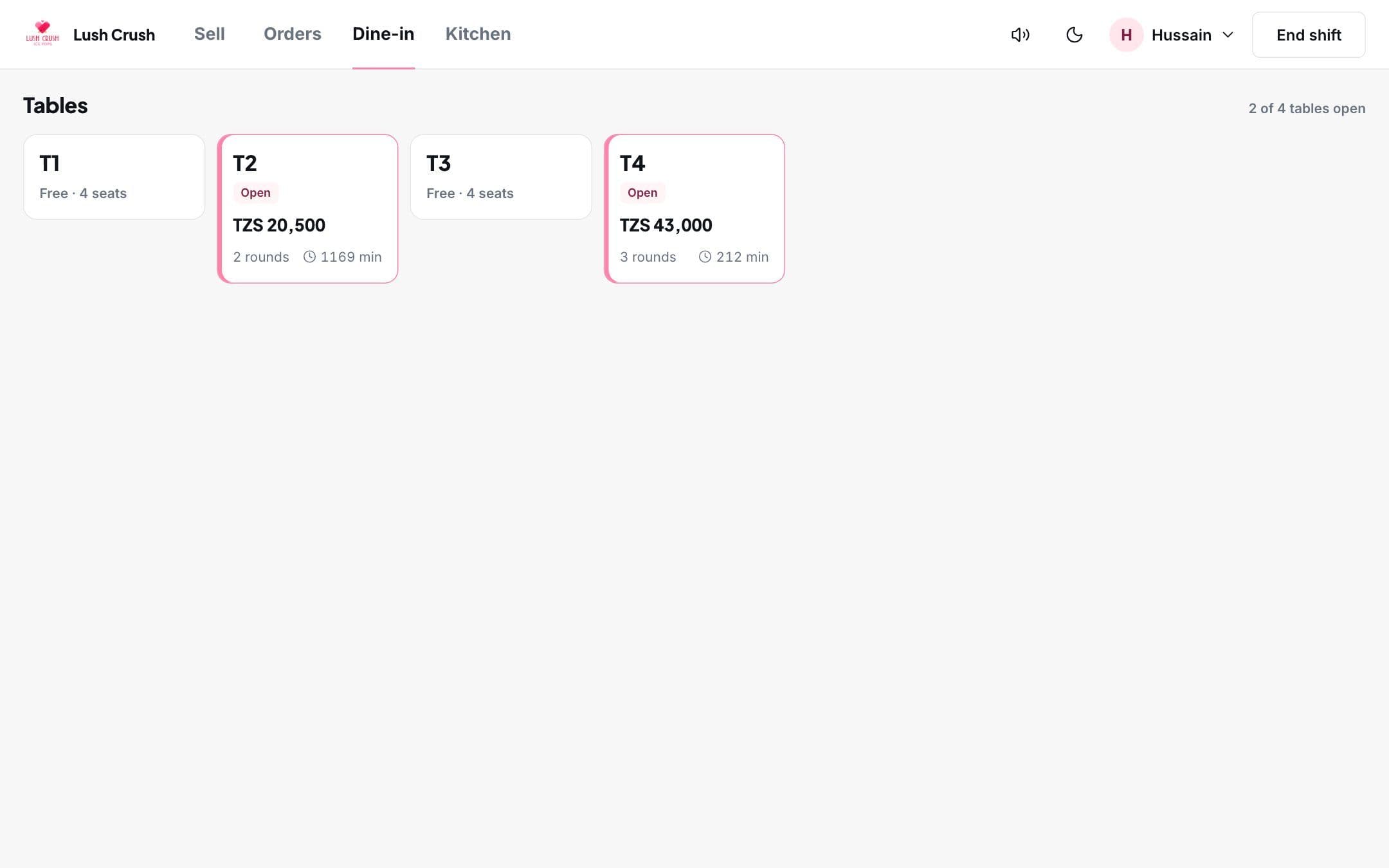
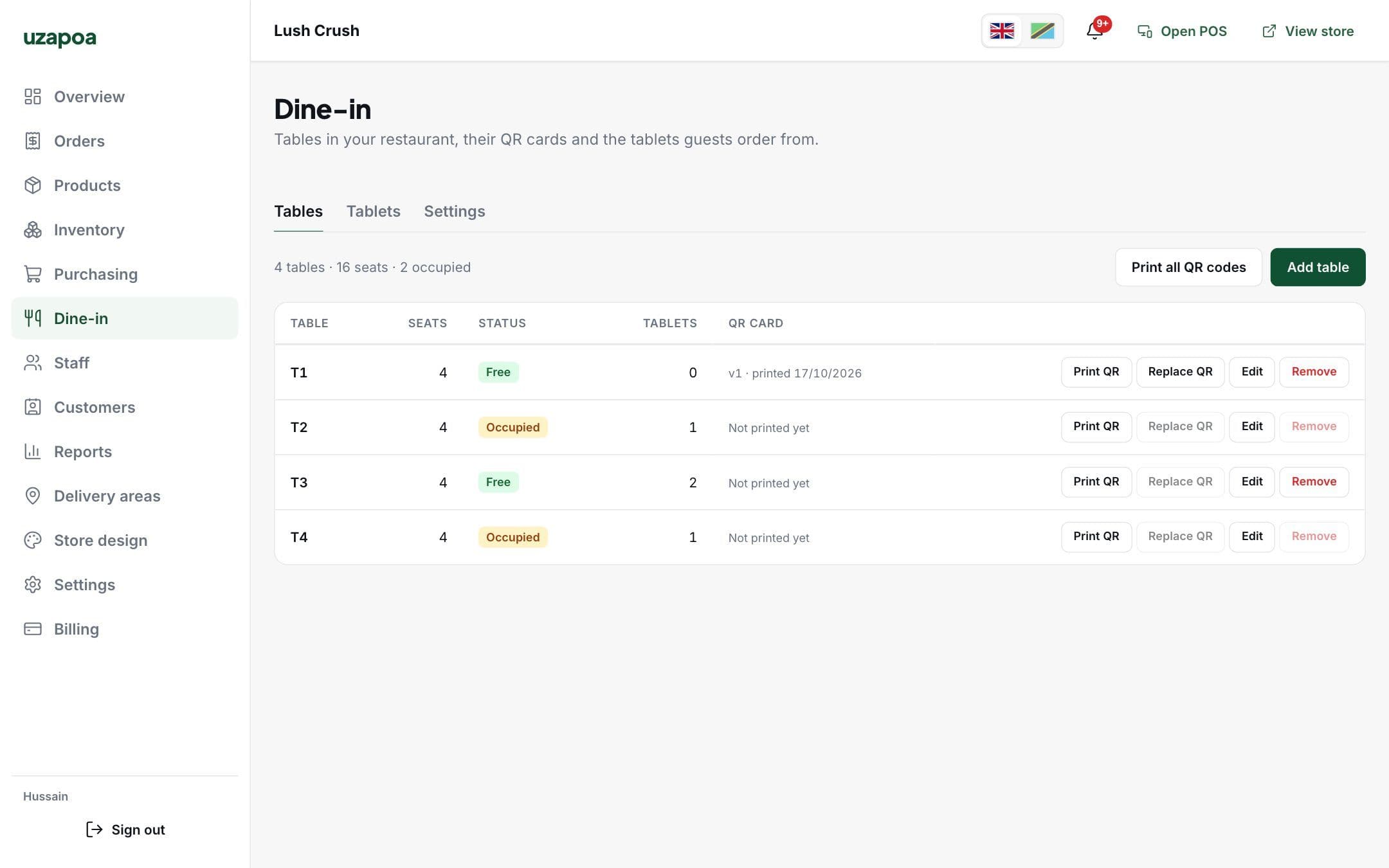
Guests order from a QR code or a table tablet. A waiter approves, the kitchen sees it.
POS
A till that keeps up with the queue
Built for a tablet at the counter: big product tiles with photos, the ticket on the side, and one tap to switch between takeaway, dine-in and delivery.
- Cash, mobile money or pay on collection
- Printed or WhatsApp receipts
- Shifts with opening float and cash-up
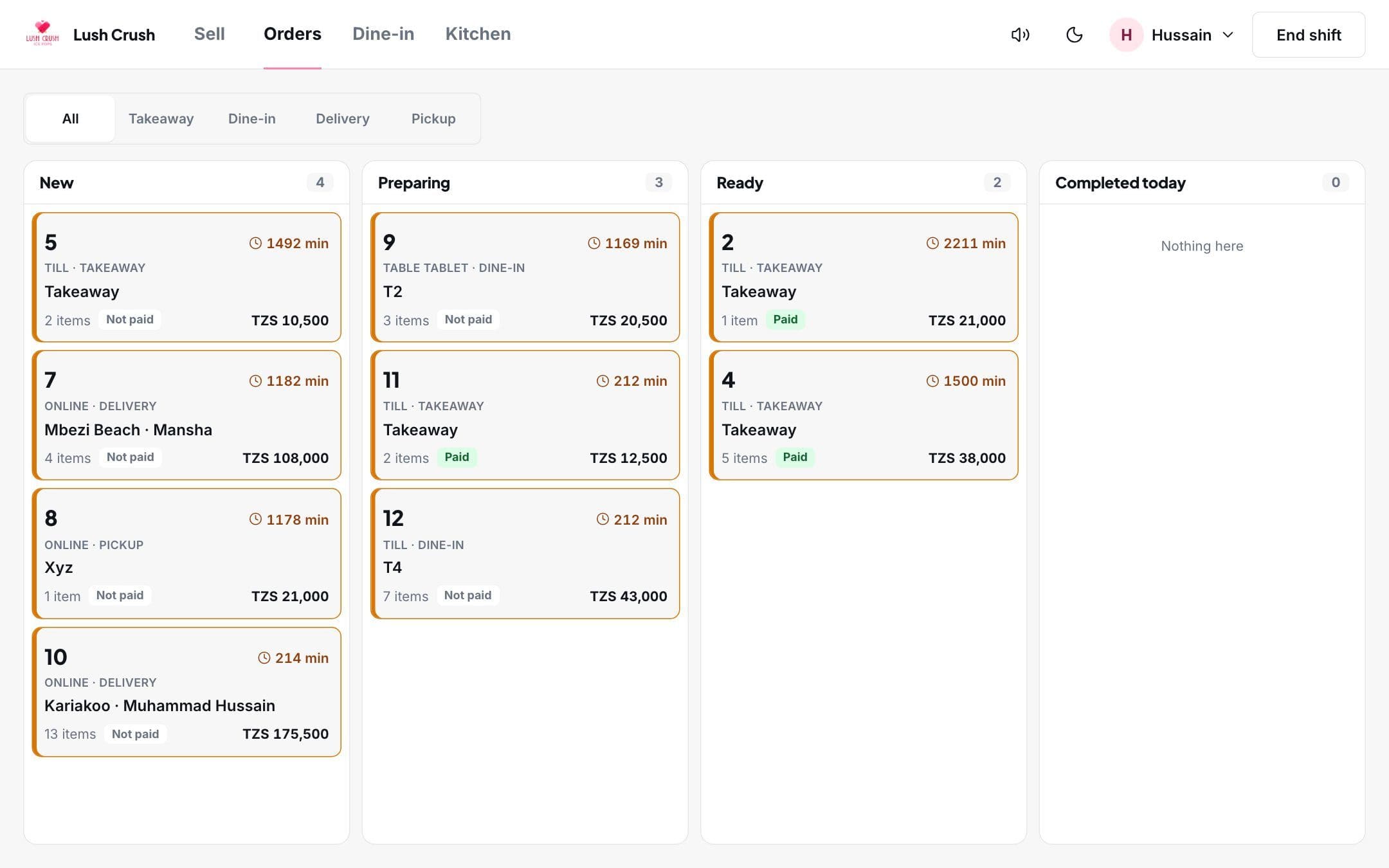
- A live board of every order: new, preparing, ready
- A kitchen screen with the orders to prepare
QR ordering and digital menu
Guests scan, order together, and the kitchen gets it
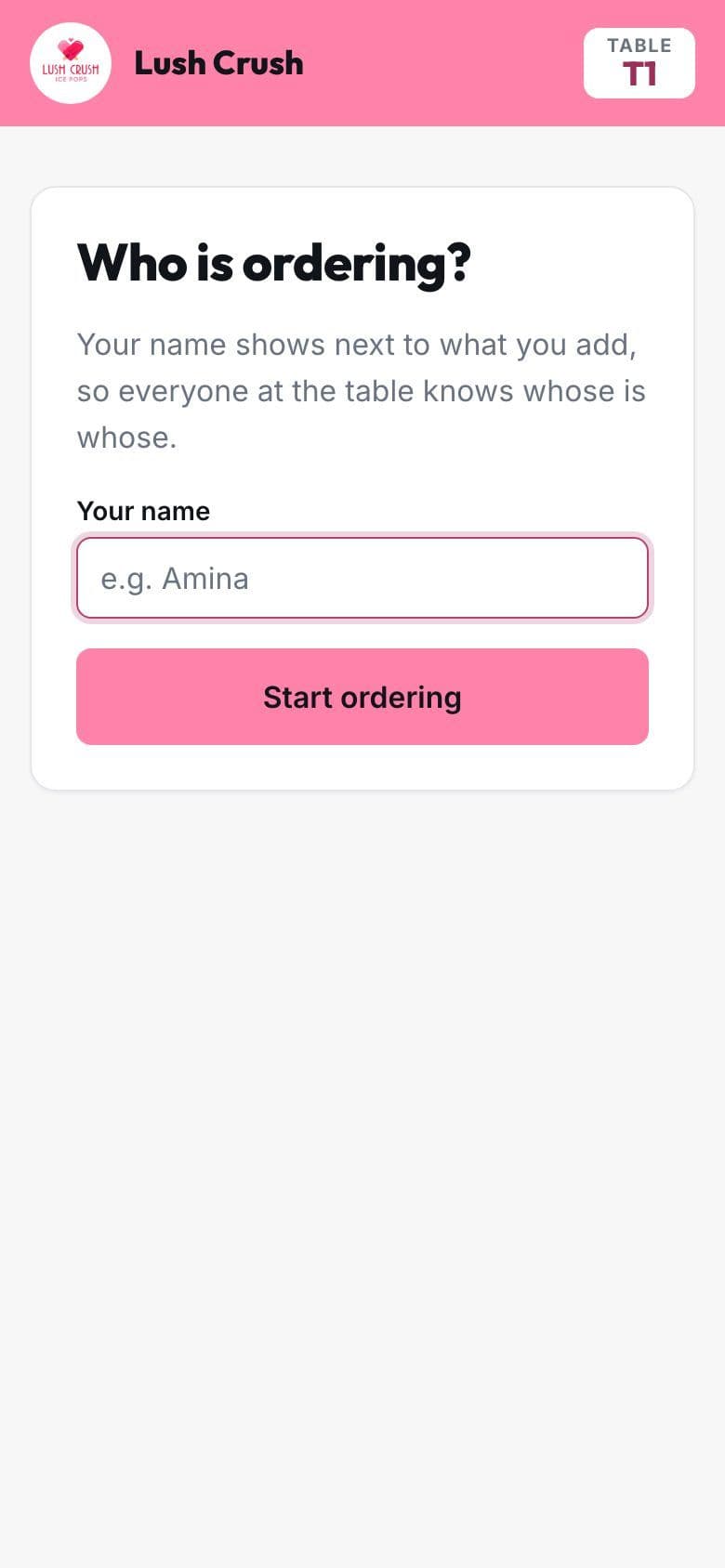
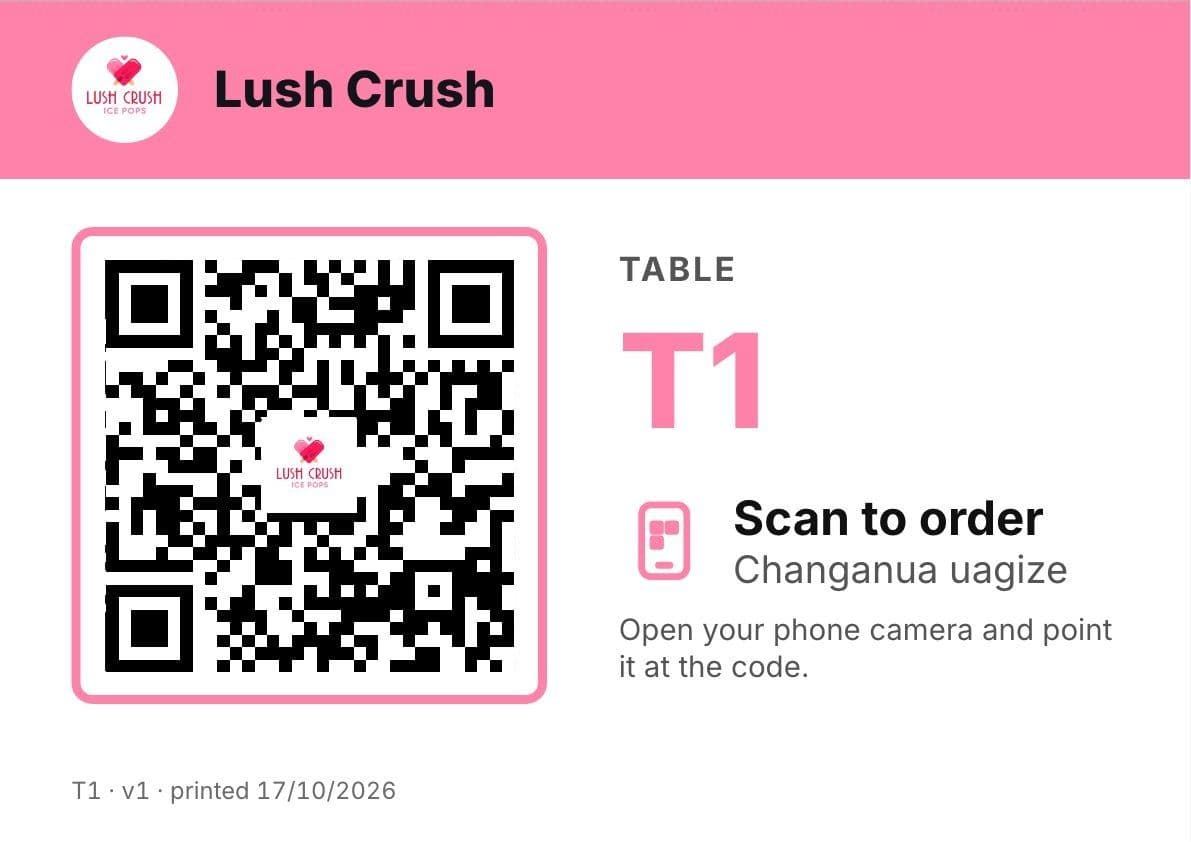
A printed code on every table opens your menu on the guest's phone. No app to download.
- 1
Scan the table's code
Each table gets its own card with your logo, in English and Kiswahili.
- 2
Everyone adds to one cart
Guests type their name, so the whole table sees who added what, as it happens.
- 3
A waiter approves, the kitchen cooks
Nothing reaches the kitchen until a waiter has checked it. Every round goes on the same table bill.
Online store
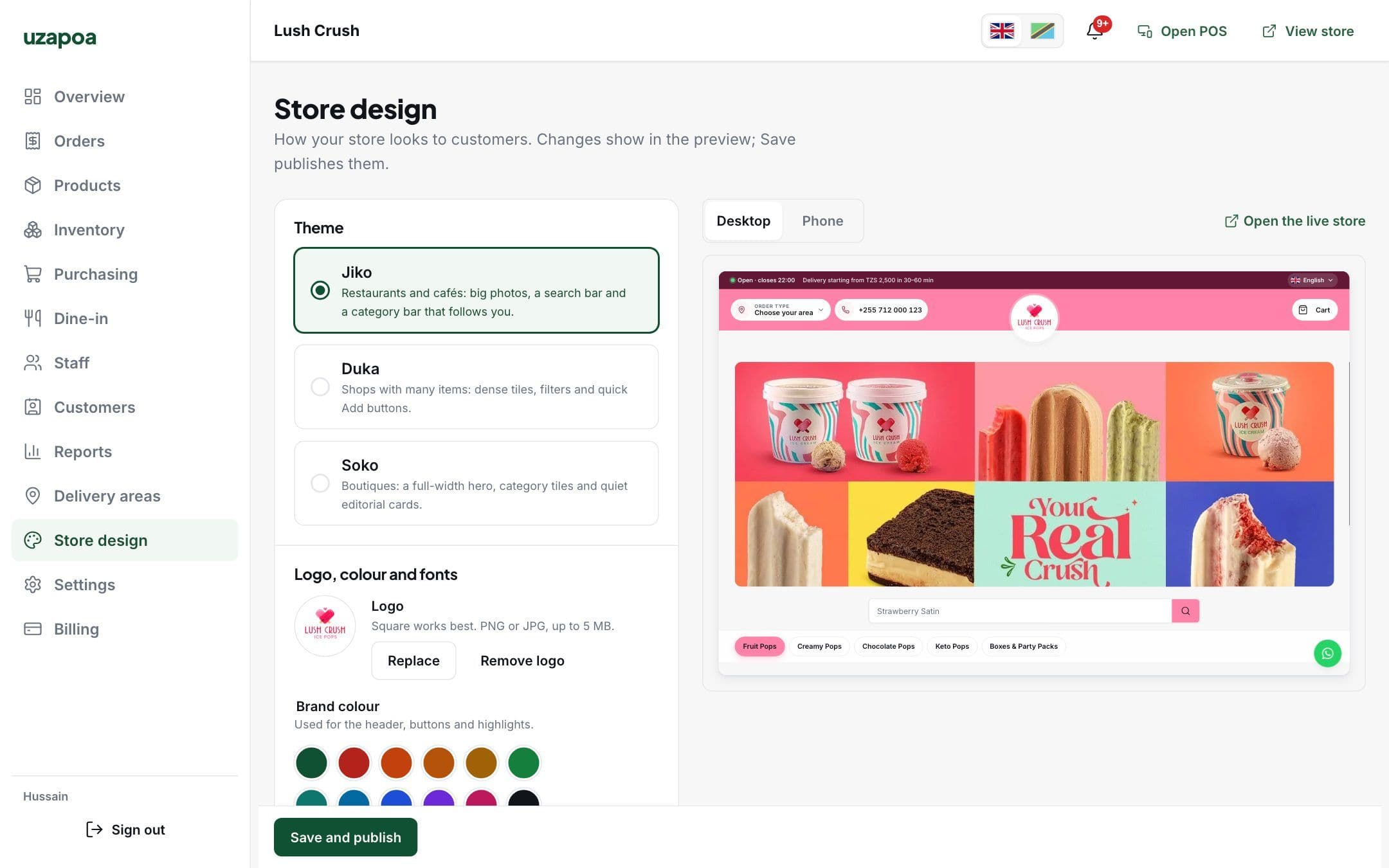
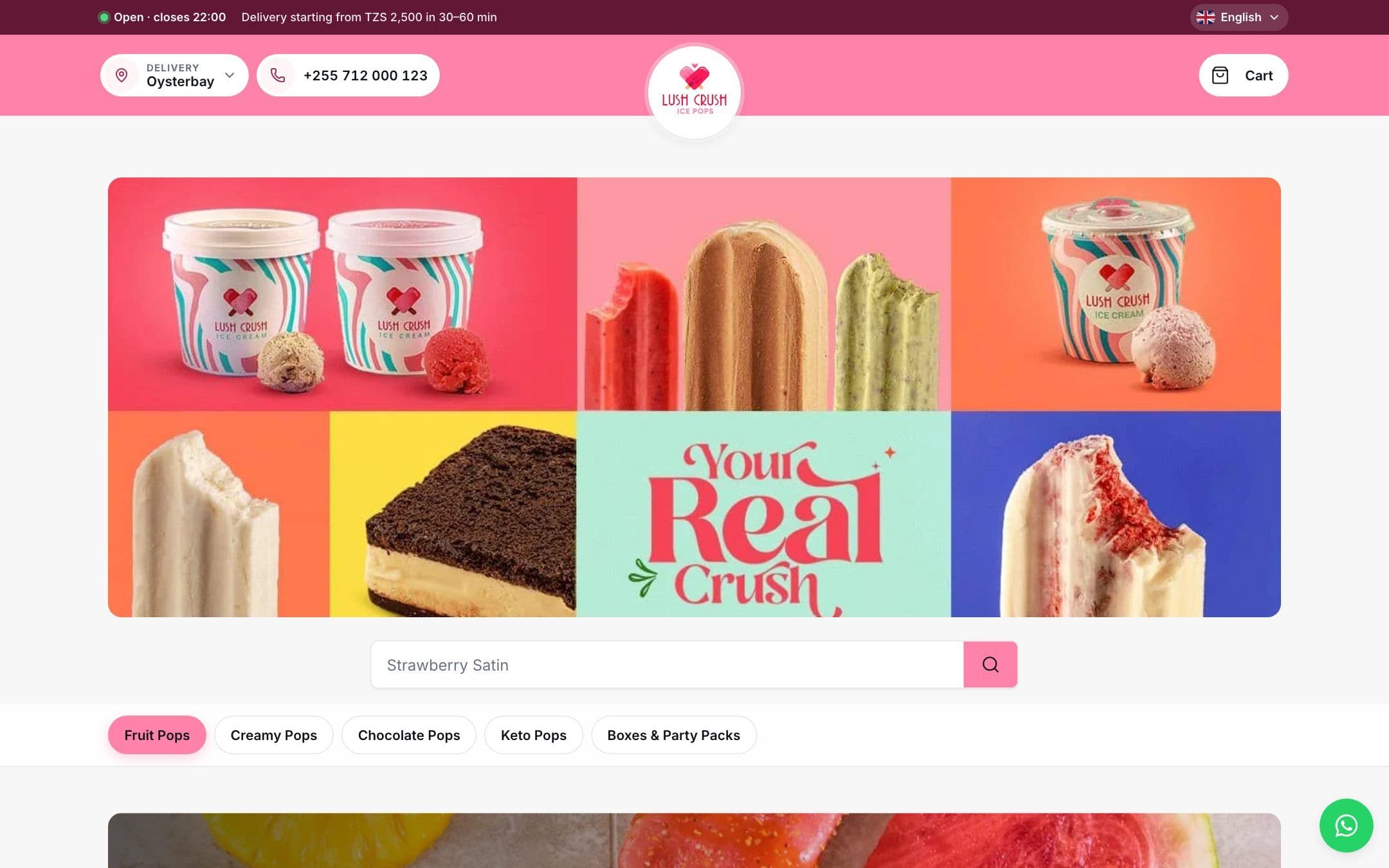
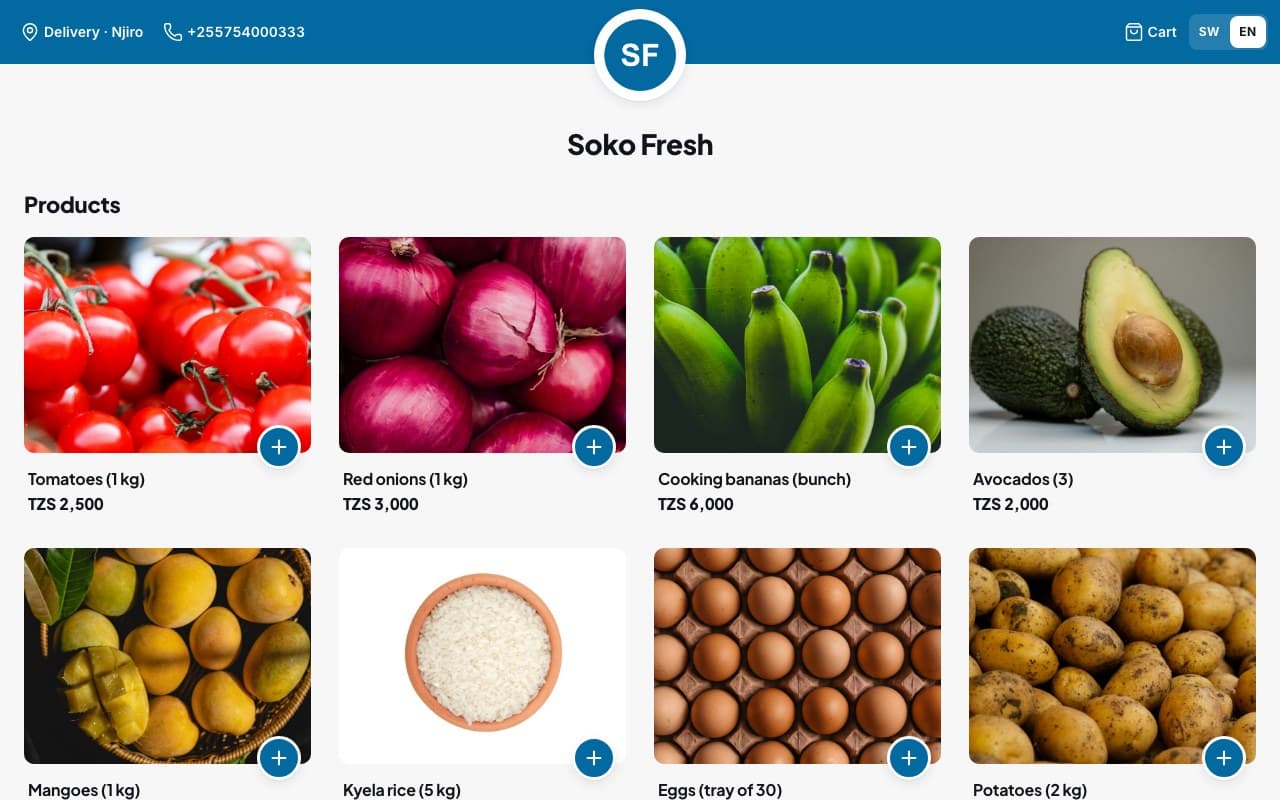
Your own online store, in your colours
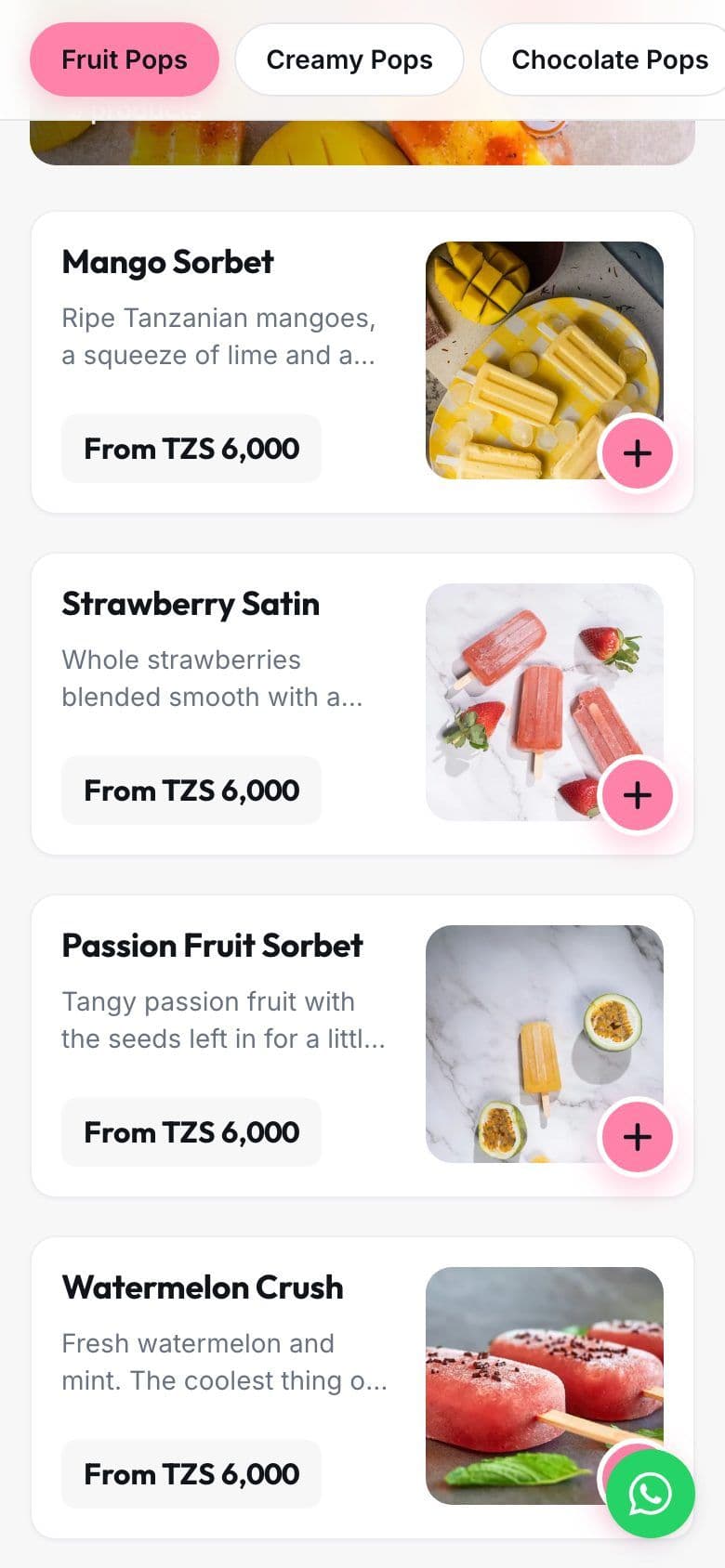
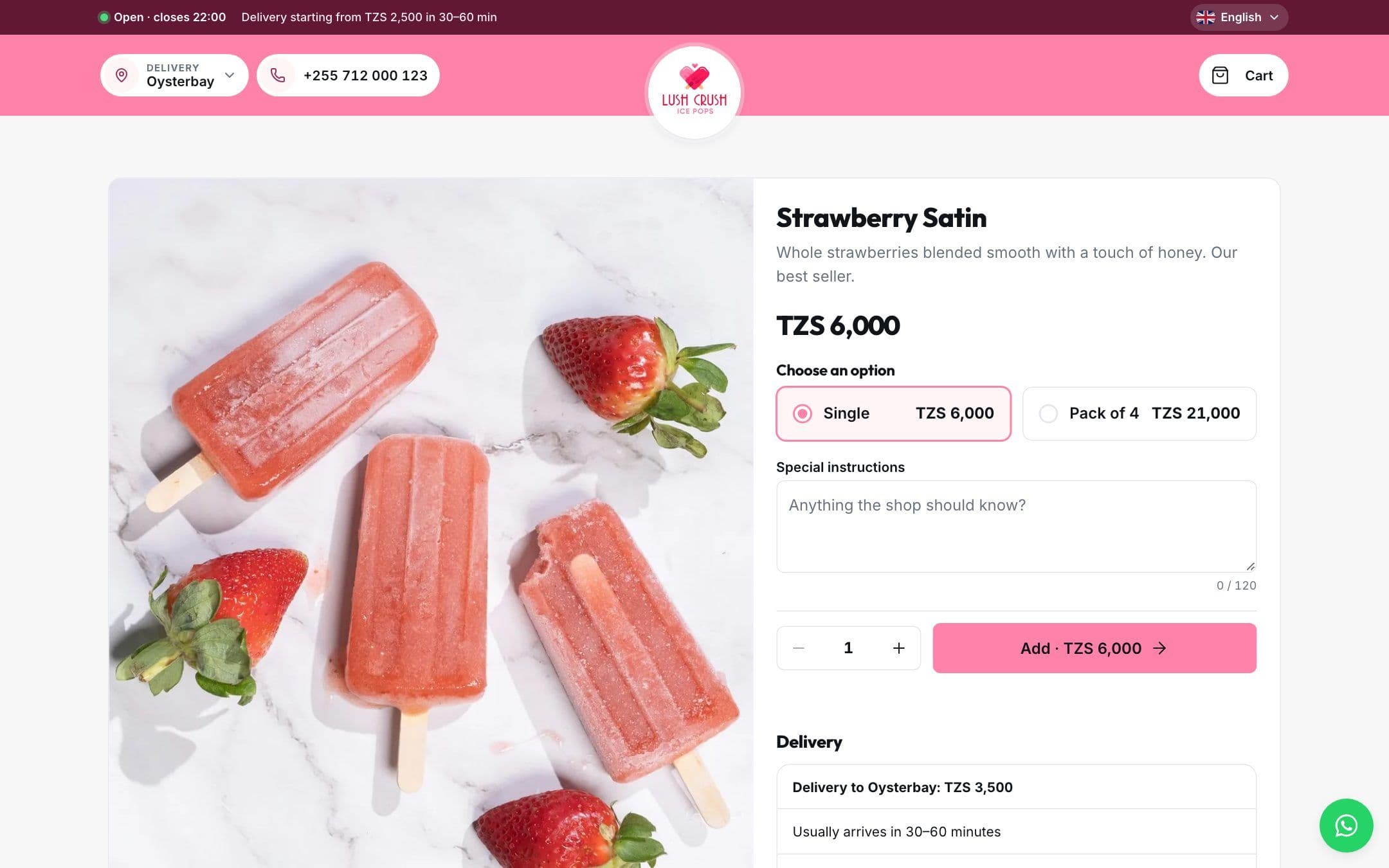
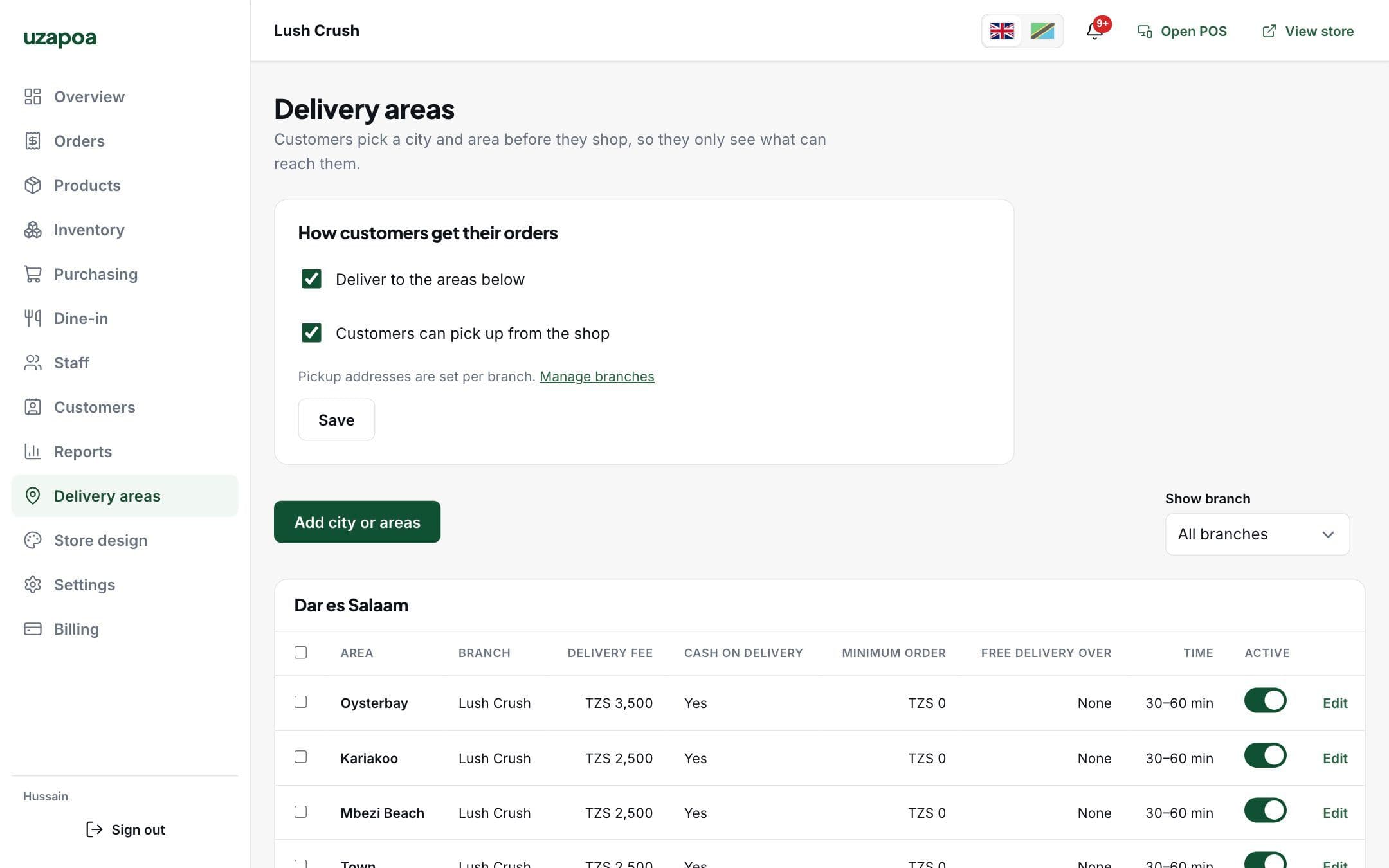
Customers choose delivery or pickup and their area first, so they only see what you can deliver and what it costs.
- Your brand colour, logo and product photos
- Delivery fee, minimum order and cash on delivery per area
- Pay on delivery, at pickup or by mobile money
- Three themes, changed in the store designer
- English and Kiswahili, chosen by the customer
Branches
Every branch, one account
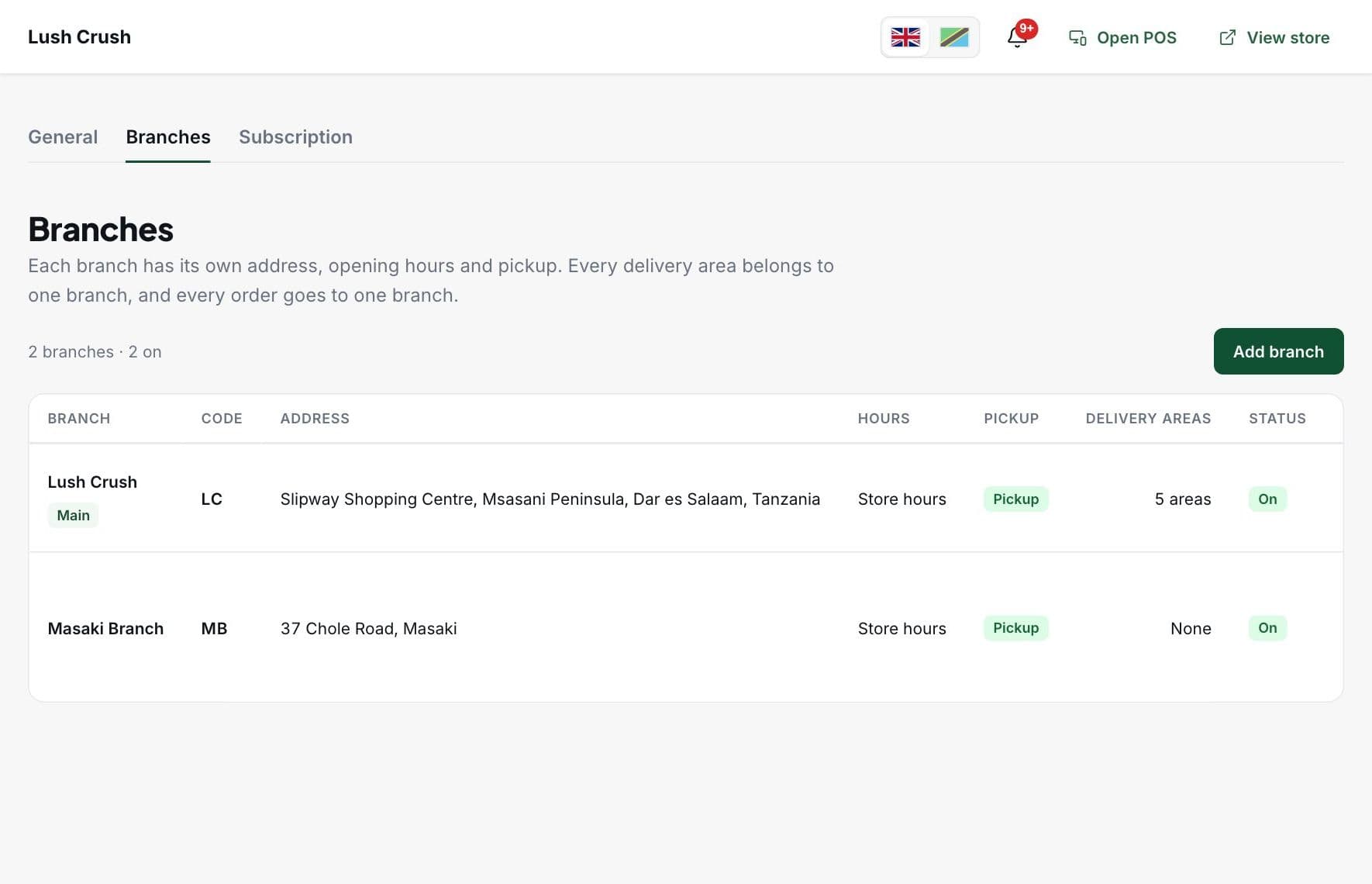
Each branch has its own address, opening hours, pickup and delivery areas. Orders go to the branch that serves the customer.
- Stock counted per branch
- Choose which products each branch sells
- Customers pick up from the branch they choose
- Receipts with each branch's own header and footer
Products and stock
Stock that matches the shelf
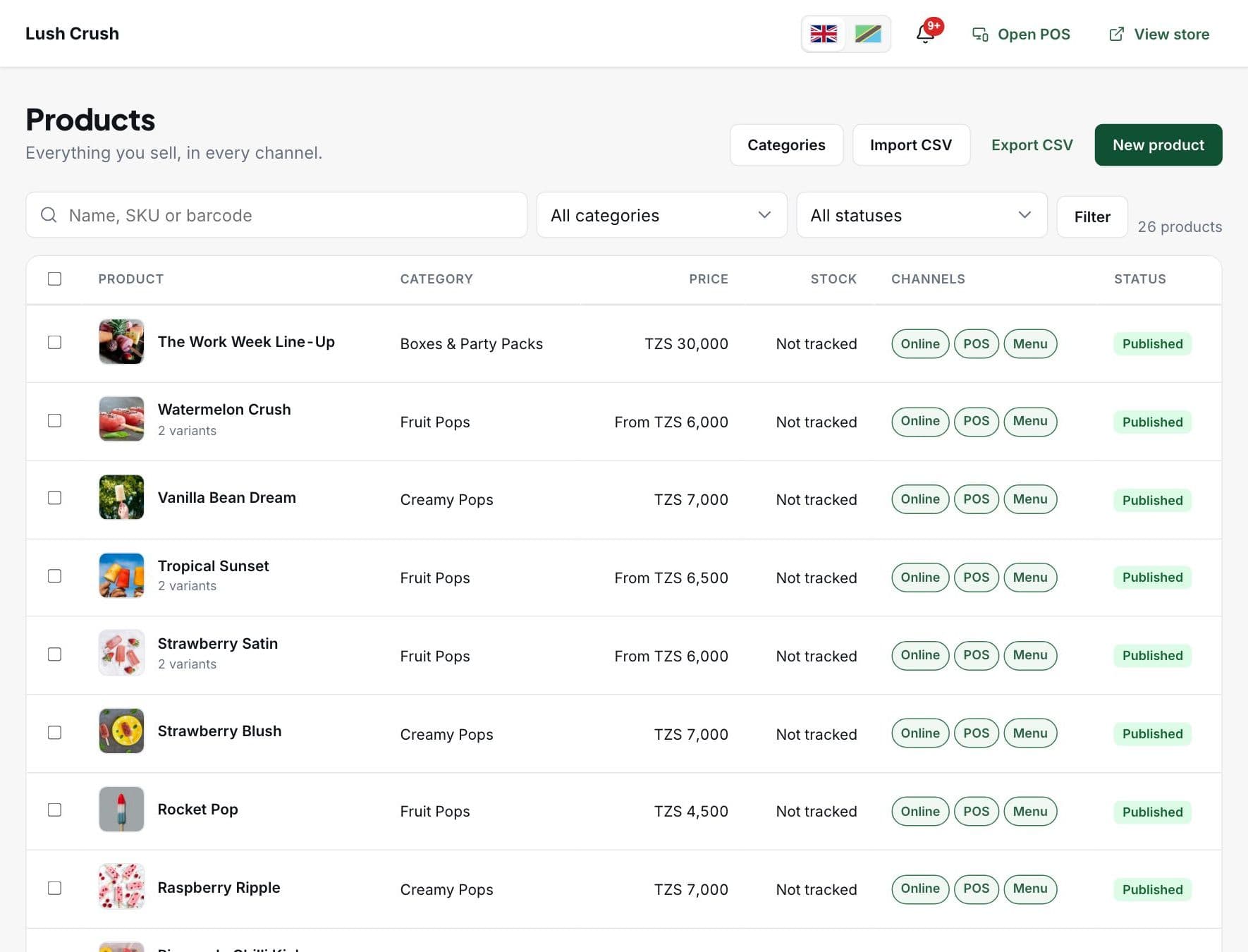
A sale at the counter, an online order and a table order all come off the same count, so an item that sells out is sold out everywhere.
- Variants like sizes and packs, each with its own price and SKU
- Choose where each product sells: online, POS, table menu
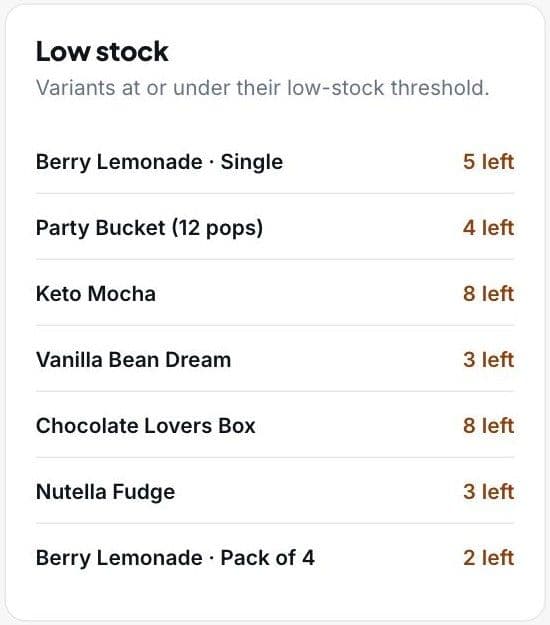
- Low-stock alerts on the dashboard and your phone
- Every adjustment recorded with who made it
- Suppliers, purchase orders and what you owe
- Import and export products by CSV
Staff and permissions
A login for everyone, and only what their job needs
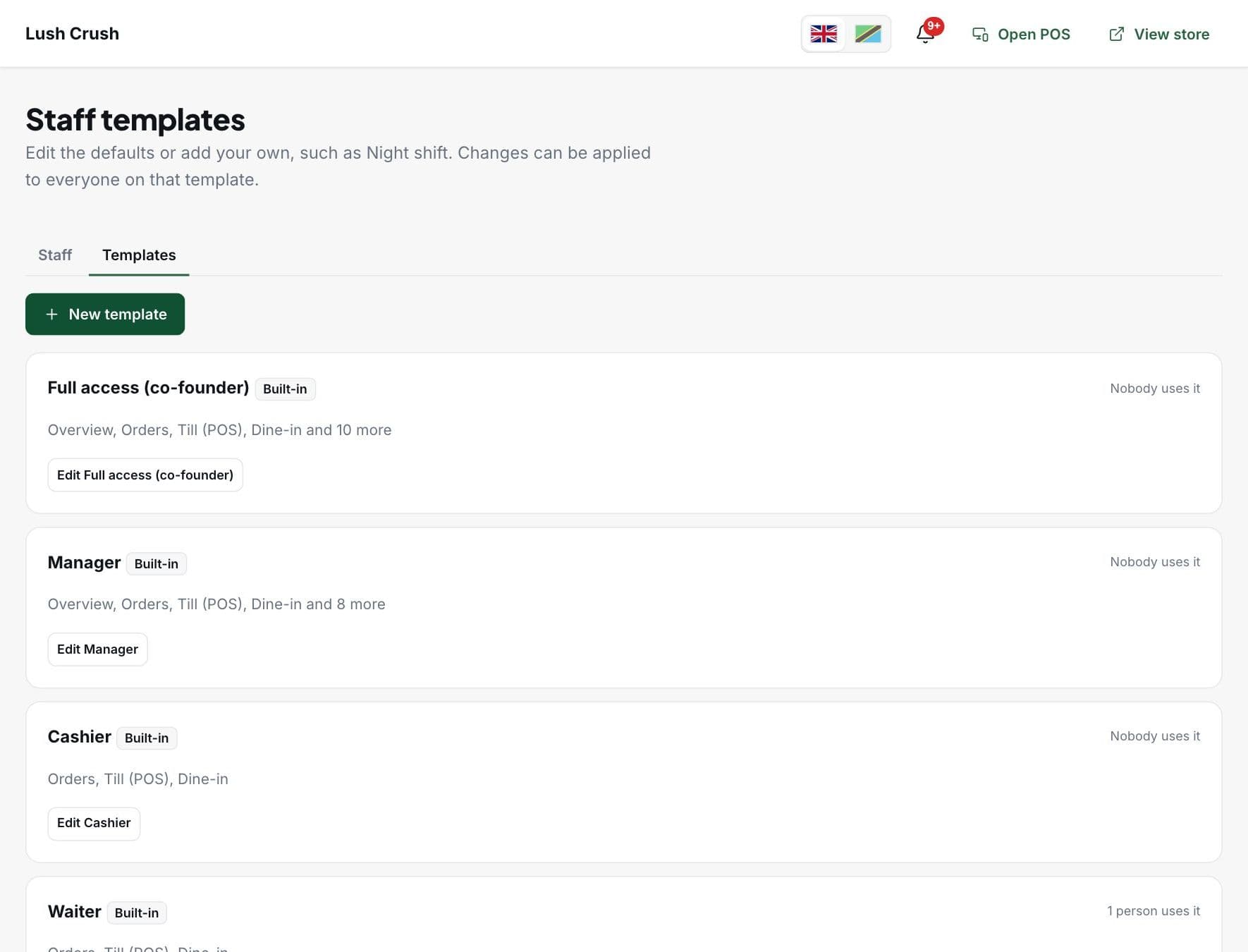
Staff sign in with a username and password you give them. Start from a template, then switch single permissions on or off.
Owner
Everything, including billing, staff and branches.
Manager
Orders, products, stock, reports and the till. Not staff or settings.
Cashier
Sells at the till, runs shifts and approves table orders.
Waiter
Looks after tables and approves what guests order.
Kitchen
Sees the orders to prepare, and nothing else.
Stock keeper
Counts stock, receives deliveries and orders from suppliers.
Need something else? Make your own template, like Night shift.
Dashboard and reports
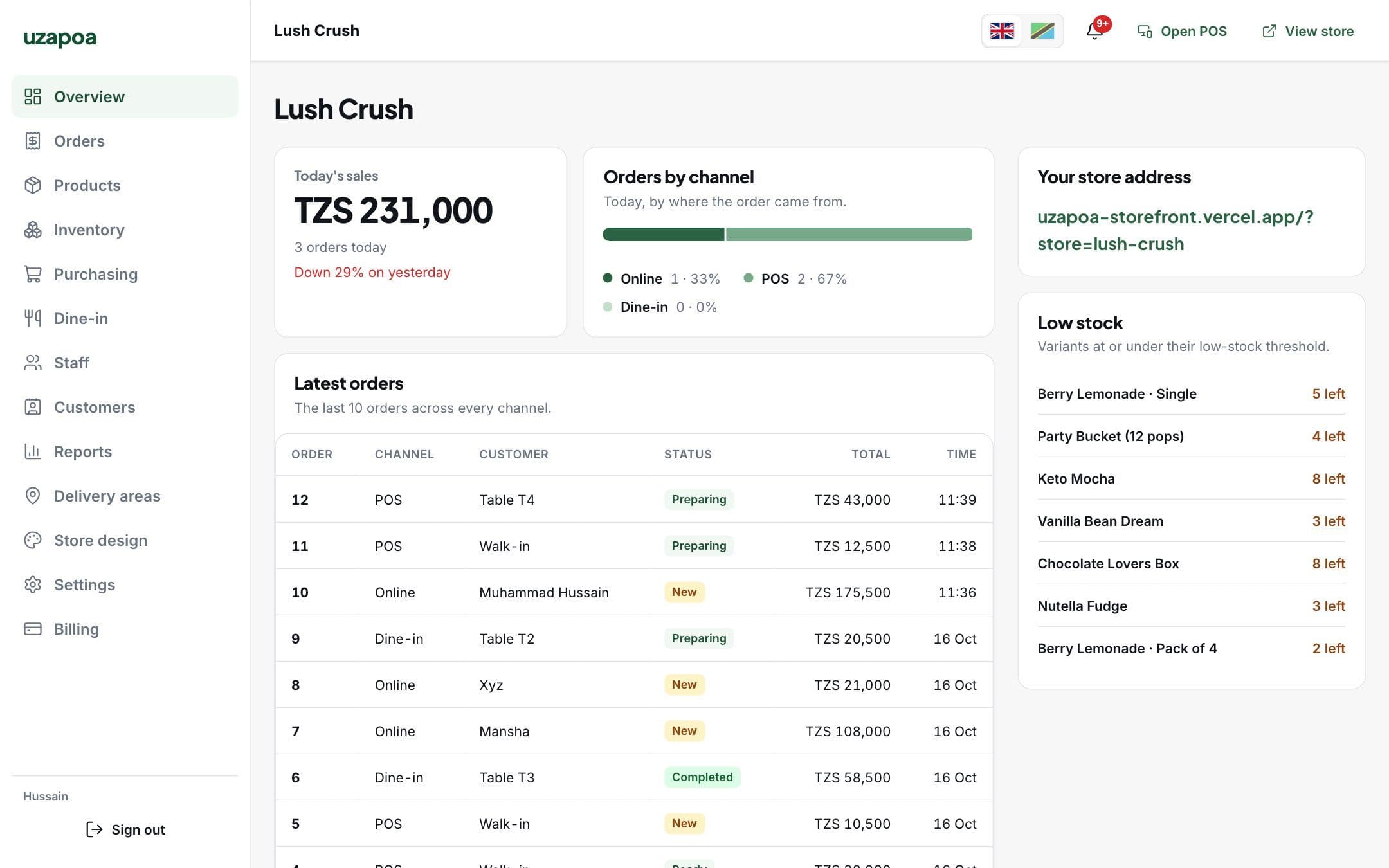
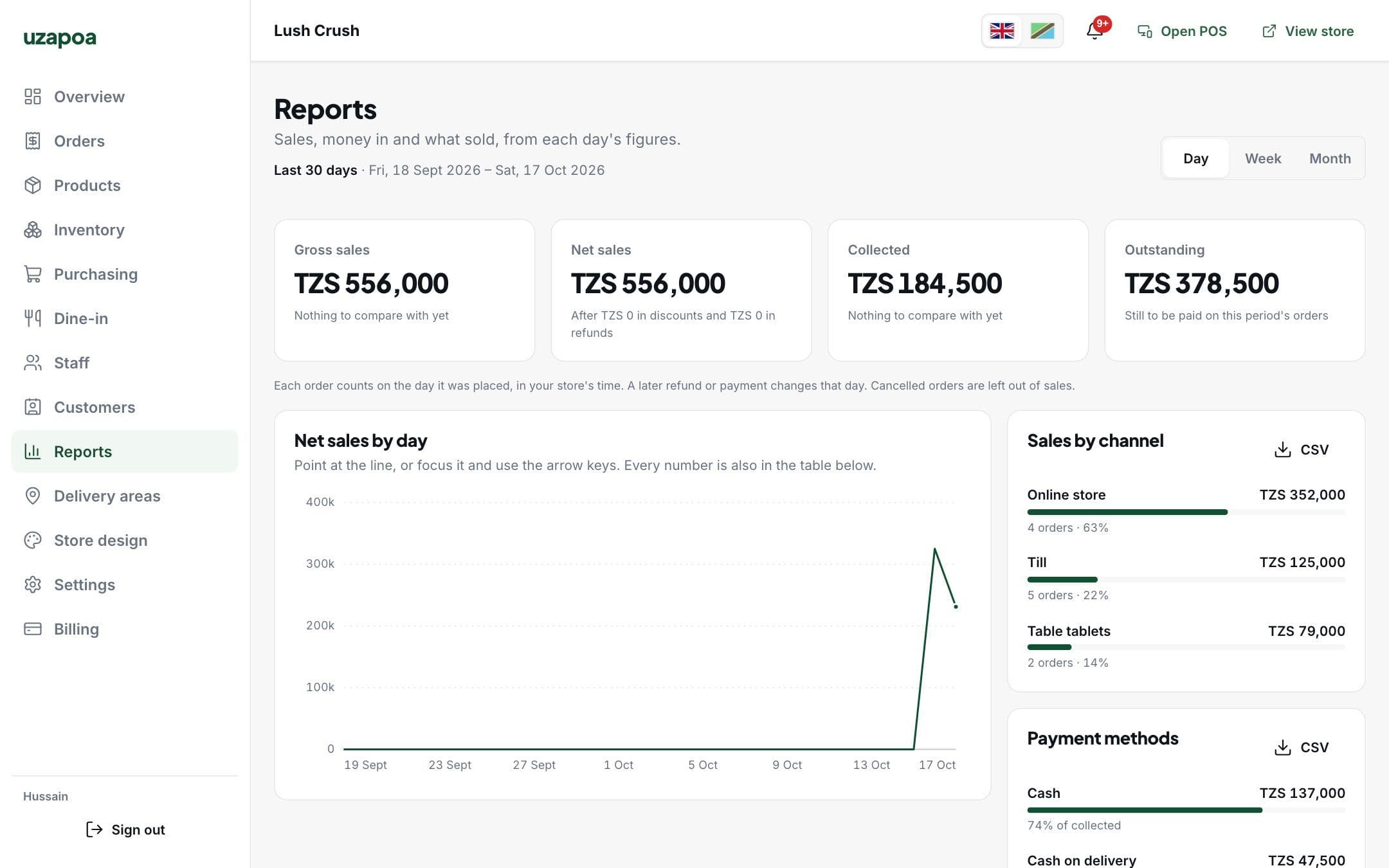
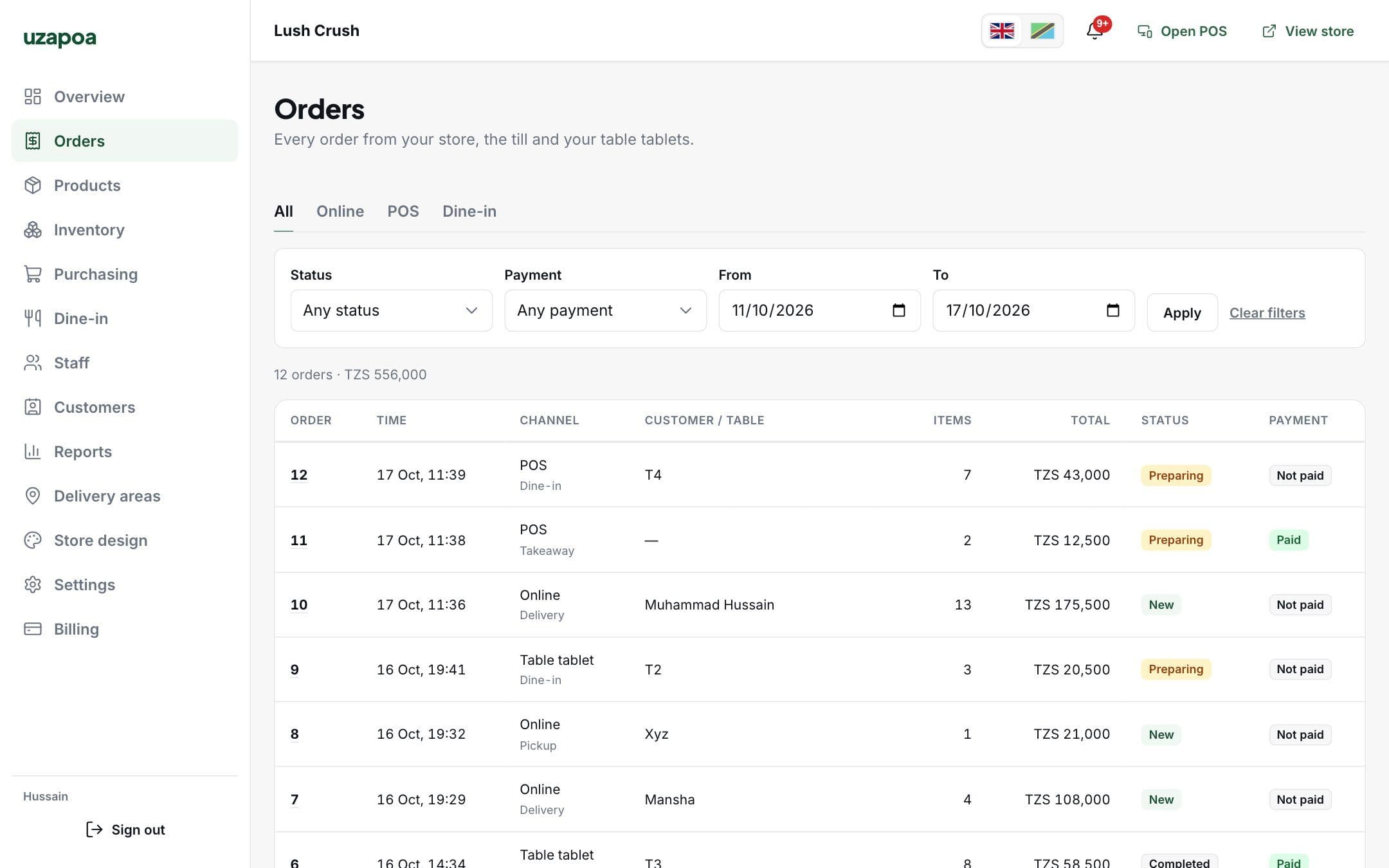
The whole business on one screen
Sales, orders, products, delivery areas and your store's look, from any computer.
And in your pocket
The Uzapoa Business app for Android tells you about new orders, low stock and payments to confirm.
Made for selling in Tanzania
Kiswahili and English
Every screen, receipt and notification in both.
Shillings and mobile money
Prices in Tanzanian shillings. M-Pesa, Mixx by Yas and Airtel Money payments confirmed by your staff.
WhatsApp first
Customers can reach you on WhatsApp from your store.
Logins, not emails
Staff sign in with a username and password you give them. No email needed.
Tell us about your business
We set up your store, import your products and train your staff. Prices depend on what you need.